Say "Hey Pludor" and get it done
Updated 1 October 2026 · Pludor team · 3 sources
"Hey Pludor" is the wake-up call: say it, then say what you need, and Pludor's AI does it, from ordering dinner and booking a haircut to adding a product to your shop or texting customers that the candles are back. It works by voice in the Android app and by chat on pludor.com, starts free, and always asks before it spends money, books or sends anything. Under the hood it is the Pludor Action Layer, which other apps and AI assistants can also use through an open MCP connection.
Start here
Most AI apps answer questions. Pludor's AI is built to finish the job: it is connected to real services (food, rides, couriers, stays, local businesses, stores), so "book it" actually books it. "Hey Pludor" just wakes it up, so you can ask without touching your phone.
What you need
- A phone or computer: pludor.com in any browser, or the Android app for "Hey Pludor"
- A free Pludor account (you can try a few messages without one)
- A verified ID for rides, couriers and stays, which keeps everyone safe
- Money in your Pludor wallet for anything you buy or book
- For your shop: a free store, which Pludor can open for you in one sentence
Beginner mistakes to avoid
- Long instructions: short, natural sentences work best ("order two jerk chicken to my house")
- Not telling it who people are; say "remember my sister is Tasha" once and it knows
- Saying yes without reading the summary; every order and message is shown to you first
- Expecting it to use other websites: it works through Pludor's own services
How to do it
Is there an AI assistant I can just talk to and it does things for me?

Yes. Open the chat on pludor.com or in the Pludor app and say what you want done, the way you would say it to a friend.
- Go to pludor.com or open the Pludor app
- Tap "Ask Pludor"
- Say it plainly: "What's my day?" or "Order me a pizza"
- Read the summary and tap yes when it needs your go-ahead
How can I use my phone hands-free while I'm cooking or holding the baby?
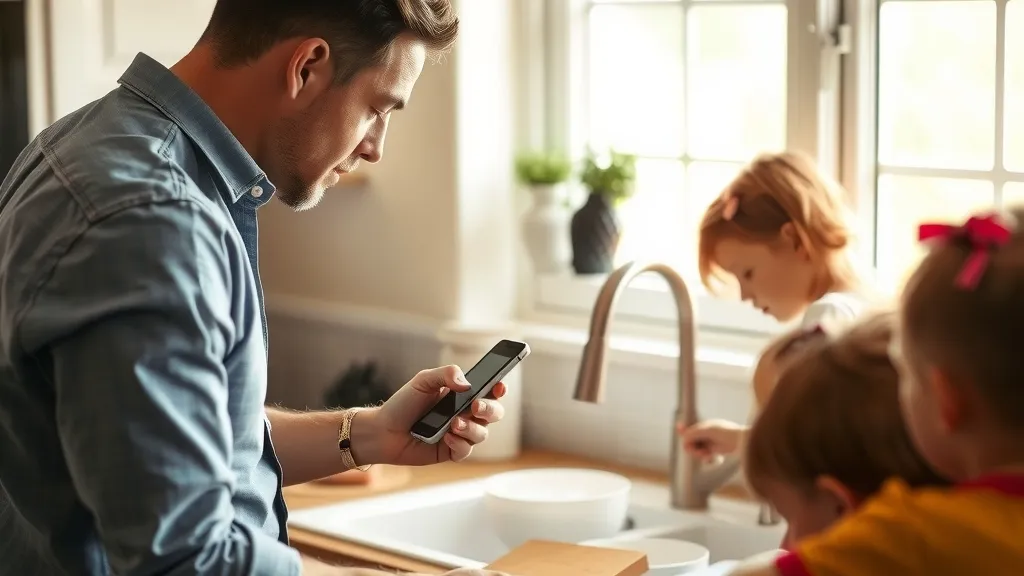
Turn on hands-free in the Pludor Android app, then start every request with "Hey Pludor".
- Open the home chat in the Pludor app
- Tap 🎙 Hands-free and allow the microphone
- Say "Hey Pludor, set a timer for 20 minutes" or "Hey Pludor, call my mum"
- Keep talking for follow-ups; say "stop listening" when done
Can I ask my AI something without leaving WhatsApp or the app I'm in?
Yes. Turn on the floating Pludor button; it hears "Hey Pludor" over your other apps.
- Turn on the Pludor button in the app
- Allow "Display over other apps" when asked
- In WhatsApp, Maps or anywhere, say "Hey Pludor, what's my day"
- Tap the button to screenshot the screen and ask about it ("is this a good deal?")
Can AI run my little handmade shop while I look after my kids?

Yes. Tell it what happened in your day and it updates the shop, the stock and your customers for you.
- "Hey Pludor, open a store for my handmade earrings" (free, live right away)
- "Add the gold hoops at twenty-four dollars and make a photo"
- "I made 12 more" updates your stock
- "Tell everyone who asked that they're back"
- "How much did I make this month?"
Is there one app that can order food, get me a ride and book my haircut?
Pludor does all three in the same chat: ask for what you want, see the price, say yes.
- "I feel like pizza tonight" then "order two"
- "How much is a ride to the airport?" then "book it"
- "Book me a haircut Thursday after 3"
- "Send this parcel to my mum in Spanish Town"
How can I get reminded about bills and school pickups without typing them in?
Say the reminder out loud in normal words; repeating ones work too.
- "Hey Pludor, wake me at 5:30 tomorrow"
- "Remind me to pay the light bill on the 1st every month"
- "What's on this week?"
- "Move the dentist to 3pm" or "undo that"
How do I give ChatGPT or Claude access to Pludor?
Add Pludor as a connector with the address https://mcp.pludor.com/mcp; it is free and needs no key.
- Add https://mcp.pludor.com/mcp to your MCP client (one-tap links in Add Pludor to your AI)
- List the tools and call them like any MCP tool
- Use search, compare, store, pricing and free-tool calls
- See the developer section below for every tool
Give your own AI Pludor's skills
Already use ChatGPT, Claude or another AI? Add Pludor to it once, and it can look things up on Pludor for you. It takes about a minute, there is nothing to install, and it is free.
What your AI can do with Pludor
- Find products from Pludor stores and compare them ("find a gift for a gardener under thirty dollars on Pludor")
- Look up a store: what it sells, where it is, its hours and whether it is verified
- Make a QR code, invoice, caption, price list or policy with Pludor's free tools, right in your AI chat
- Get Pludor's real prices, limits and which feature fits your business
https://mcp.pludor.com/mcpClaude
- On claude.ai, open Customize then Connectors
- Click + Add, then Add custom connector
- Name it Pludor and paste the address above
- Choose No sign in, then Add
Steps from Anthropic's help page; the Free plan allows one custom connector.
ChatGPT
- In ChatGPT, open Settings, then Apps
- Turn on Developer mode under Advanced settings
- Choose Create, name it Pludor and paste the address above
- Pick no authentication and click Create
Developer mode depends on your ChatGPT plan; see OpenAI's guide.
VS Code
- Click the button below with VS Code installed
- Confirm Install for the Pludor server
Any other AI app
- Find "MCP", "connectors" or "custom tools" in its settings
- Add a remote server with the address above
- No key or sign-in needed
Through other AIs, Pludor looks things up and runs free tools. Ordering, booking, payments and messages happen in Pludor itself, where you confirm each one.
Use Pludor in your terminal
Pludor also works in your computer's terminal, like an AI coding assistant. Paste one line, type pludor, sign in once in your browser, and tell it what to build or fix. It works on the files in the folder you open it in and uses your Pludor credits.
What it does for you
- Build a website, landing page or small app from a description ("make me a one-page site for my bakery")
- Explain, fix and change code in a project, and run its tests
- Do repetitive file jobs: rename photos, tidy a spreadsheet, turn a CSV into product listings
- It asks before changing files or running commands, and Plan mode only thinks without changing anything
irm pludor.com/install.ps1 | iexcurl -fsSL pludor.com/install | bash- Open your terminal: on Windows search for PowerShell, on a Mac open Terminal
- Paste the line for your computer and press Enter - it says Complete when it is done
- Type pludor and press Enter
- Your browser opens: check the code matches, press Allow, and go back to the terminal
- Type what you want done, for example "build me a landing page for my bakery"
Uses your Pludor credits as you go - top up any time on your credits page. Type /logout to sign out, /help for every command. Everything about it: Pludor in your terminal.
Everything you can ask Pludor's AI to do
Every skill below works today. Say it the way it is written, or in your own words; start with "Hey Pludor" when you are hands-free. Anything that spends money, books, posts or sends a message shows you a summary first and waits for your yes.
Talking to it: voice, photos and memory

| Skill | Say it like this | Everyday use | Why use it |
|---|---|---|---|
| "Hey Pludor" wake word | "Hey Pludor, what's my day?" | Ask with flour on your hands, while driving or holding a baby | No tapping or typing; it answers out loud |
| Hands-free conversation | Tap 🎙 Hands-free, then keep talking; "stop listening" ends it | A back-and-forth while you cook or work | Follow-ups without saying the wake word again |
| "Hey Pludor" over other apps | Turn on the Pludor button, then "Hey Pludor" anywhere on the phone | Ask while you are in WhatsApp, Maps or YouTube | No need to switch apps first |
| Screenshot and ask | Tap the Pludor button over any app | "Is this a good deal?" on a listing someone sent you | It sees exactly what you are looking at |
| Photo in the chat | Camera button, then "sell this" or "what is this?" | List an item, send a document, ask about a product | A picture says more than a description |
| Memory | "Remember my wife is Keisha, 876-555-0100" · "forget that" | It knows who "my wife" or "my shop" means next time | Shorter requests every day |
| What can you do for me? | "I run a bakery and have two kids, how can you help?" | A plain list of what fits your life, and what is not built yet | Honest answers, no feature dump |
| Weather | "Will it rain in Kingston tomorrow?" | Plan laundry, a market stall or a drive | Live data, never a guess |
| Live web answers with sources | "What time does the post office close?" | Opening hours, news, prices, recalls | Every answer names its source |
| Play a video | "Play a 10-minute stretch video" | Workout, recipe or kids' video right in the chat | No searching through feeds |
| 80+ free business tools | "Make a QR code for my menu" · "write an invoice for $200" | QR codes, invoices, captions, price calculators, policies | Finished results in the chat, free |
Your phone, by voice (Android app)

| Skill | Say it like this | Everyday use | Why use it |
|---|---|---|---|
| Volume and mute | "Hey Pludor, turn it down" · "mute" | Quiet the phone in a meeting | Hands stay free |
| Music and media | "Pause" · "next song" · "play Bob Marley" | Control music while driving or cooking | No reaching for the phone |
| Play on YouTube | "Play how to fix a running toilet on YouTube" | Repair and recipe videos while your hands are busy | Straight to the video |
| Call someone | "Call my mum" | Calls from your contacts by name | Safer while busy or driving |
| Directions | "Take me to the nearest pharmacy" | Opens navigation to the place | One sentence to get going |
| Flashlight | "Flashlight on" | Find keys in the dark | Instant |
| Timer | "Timer for 25 minutes" | Cooking, study blocks, parking | Hands-free |
Your day and calendar

| Skill | Say it like this | Everyday use | Why use it |
|---|---|---|---|
| My day | "Good morning" · "what needs doing today?" | Calendar, bookings, orders waiting, pickups and unread messages in one answer | One look instead of five apps |
| Morning brief | "Send me my day at 7 every morning" | A notification each morning with the day ahead | Starts the day organised |
| Alarms and reminders | "Wake me at 5:30" · "remind me to pay rent on the 1st every month" | Repeating reminders and alarms | Never miss a bill or school pickup |
| See my calendar | "What's on this week?" · "did I set an alarm?" | Your own reminders plus bookings and deliveries | Everything in one place |
| Change or cancel an item | "Move the dentist reminder to 3pm" · "undo that" | Fix plans quickly | No menus |
| Clear my day | "My son is sick, clear tomorrow" | Moves customer appointments, tells them, stops new bookings, moves your reminders | One sentence handles a bad day |
| Reopen a day | "I can work Friday after all" | Takes bookings again | Undo is easy |
Getting around and errands

| Skill | Say it like this | Everyday use | Why use it |
|---|---|---|---|
| Ride price | "How much is a ride to the airport?" | Know the price before you go | No surprises |
| Book a ride | "Get me a ride to Half Way Tree" | A nearby ID-checked driver accepts | Safety: children only ride with an adult |
| Parcel price and courier | "Send a small parcel to my sister in Spanish Town" | Same-day local delivery | No queue at the post office |
| Find and order food | "I feel like jerk chicken" · "order two" | Home cooks and restaurants near you, delivery or pickup | From craving to order in one chat |
| Find a place to stay | "Somewhere in Negril for 2 this weekend" | Pludor Stays from local hosts | Book with ID-checked hosts |
| My bookings | "Where is my driver?" · "is my food coming?" | Status of rides, parcels, stays and food | One question, every booking |
| Trust check | "Is this driver trustworthy?" | ID status, history, ratings and mutual connections of anyone on Pludor | Deal with strangers safely |
| ID verification | "How do I verify my ID?" | Your status and the link to verify | Needed for rides, stays and couriers |
Appointments and tables

| Skill | Say it like this | Everyday use | Why use it |
|---|---|---|---|
| Find a business | "Find a barber near me" · "who does moving?" | Salons, cleaners, movers, tutors, restaurants with their prices | Compare services in seconds |
| Check open times | "Is OaksWings free Thursday?" | Real open slots from the business calendar | No phone tag |
| Book it | "Book the 2pm haircut" | Appointments and table reservations | Booked while you think of it |
| My appointments | "When is my next appointment?" | All upcoming appointments and tables | Nothing forgotten |
| Cancel | "Cancel my Friday table" | Cancels and frees the slot | Polite to the business |
Shopping, money and the local marketplace

| Skill | Say it like this | Everyday use | Why use it |
|---|---|---|---|
| Search products | "A gift for a gardener under $30" | Products from Pludor stores with reasons each matches | Faster than scrolling |
| Buy | "Buy the blue one, ship to my address" | Pays from your Pludor wallet after your yes | Checkout in a sentence |
| Second-hand marketplace | "Any used fridges near me?" | Items people nearby are selling | Local deals |
| Is this a good deal? | Paste a listing link | Compares with similar items and checks the seller | Avoid overpaying and scams |
| Sell something you own | Add a photo: "sell this bike for $150" | Lists it on the local marketplace | Clear clutter, earn cash |
| Leave a review | "Five stars for the candles, they smell amazing" | Verified-purchase review on the product | Helps good sellers |
| Wallet | "What's my balance?" | Balance and recent transactions | Know where you stand |
| How much did I make? | "How's my money this month?" | Store, marketplace, food, tips and referral income minus costs, vs last month | One honest number |
Messages and people

| Skill | Say it like this | Everyday use | Why use it |
|---|---|---|---|
| Find someone | "Find @marcus on Pludor" | Finds people to message | Never guesses who |
| Message on Pludor | "Tell Marcus I'm running 10 minutes late" | Direct messages after your yes | Hands-free messaging |
| Message anyone | "Text my wife I'll pick up the kids" · "WhatsApp the plumber" | Pludor message, email, text or WhatsApp with the words filled in | Reaches people who are not on Pludor |
Start and run a business

This is where Pludor goes furthest: a business can be started, stocked and run in the chat.
| Skill | Say it like this | Everyday use | Why use it |
|---|---|---|---|
| Open a store | "Open a store for my sourdough" | A free store, live right away | Selling today, no setup fees |
| Add a product | "Add lavender candles, $18, make a photo" · "go live Friday 9am" | Lists it with an AI photo, stock and a scheduled launch | Product online in one sentence |
| Find products to sell | "Find me something to sell under $20" | Supplier products with cost, orders and rating | Start selling without stock |
| Import a product | "Sell the tripod for $25" | Publishes it with photos; the supplier ships orders | No inventory risk |
| Build a website | "Build my website" | A short Q&A, then a full site with buy buttons | A real website in minutes |
| Find and buy a domain | "Is sunnybakes.com free?" · "buy it" | Buys and connects the domain | Your own address |
| Email customers | "Tell my customers the fresh batch is ready" | Writes and sends the email with an unsubscribe link | Repeat sales from a sentence |
| Grow the email list | "Add these three people, they asked" | Adds people who agreed to hear from you | Consent-based marketing |
| Autopilot | "Thank new customers and ask for reviews for me" | Automatic thank-yous and review requests | More reviews without effort |
| Upgrade in the chat | "I need a custom domain plan" | Plan checkout right in the chat, then carries on | No hunting through settings |
Orders, stock and making things

| Skill | Say it like this | Everyday use | Why use it |
|---|---|---|---|
| My orders | "What did Mrs Brown order?" · "what's open today?" | Store, appointment, marketplace and food orders in one list | Nothing slips |
| Update an order | "Mark #A1B2 ready for pickup" | Updates it and tells the customer by app, email or WhatsApp | Customers kept in the loop |
| Who wants it? | "Who asked about the lavender candles?" | People waiting for a sold-out product | Turn interest into sales |
| Tell them it's back | "Tell them it's back, I have 12" | Messages everyone waiting and restocks | Instant sales on restock |
| Supplies | "I bought 10 lb of wax for $40" | Tracks supplies, costs and low-stock warnings | Never run out mid-order |
| Recipes | "Each candle takes 8 oz wax and one wick" | Saves what each product uses | Accurate costs and planning |
| Record a batch | "I poured 12 candles" | Takes materials out, adds stock | Stock stays right |
| What to make next | "Do I have enough wax for 20?" | Checks orders and supplies, gives a shopping list | Plan production in seconds |
| True cost of an item | "What does a candle really cost me?" | Materials, time and packaging vs your price | Know you are making money |
| Sales analysis | "How were sales the last two days?" | A plain-English read of your real sales | Spot trends early |
Content and calls
| Skill | Say it like this | Everyday use | Why use it |
|---|---|---|---|
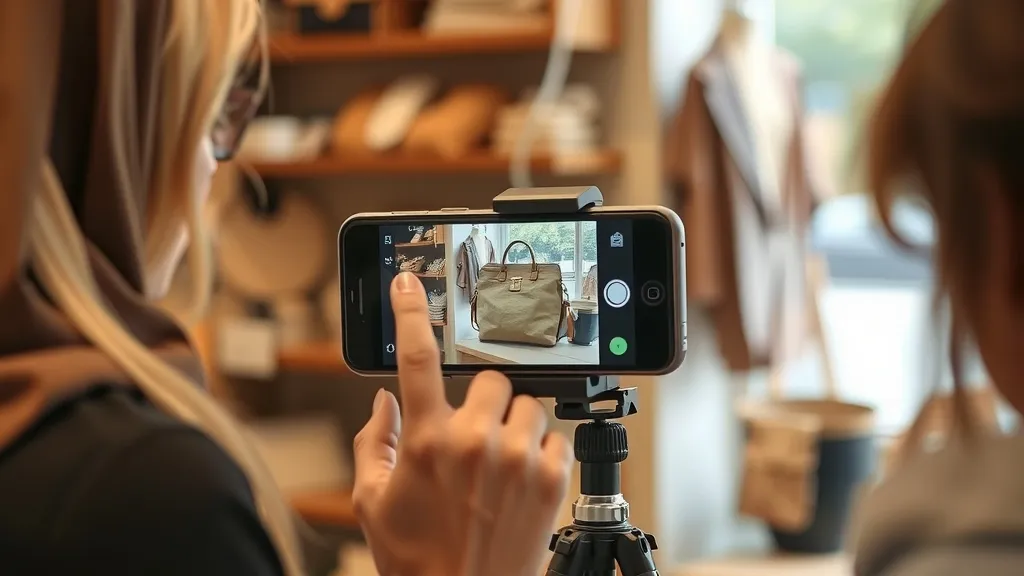
| Post a video everywhere | Add a video: "post this" | Flika with a buy button, plus Facebook and Instagram; one-tap share to TikTok and YouTube Shorts | One approval, every channel |
| Which video sold? | "Which video brought in orders?" | Views, buy taps and sales per video | Make more of what works |
| AI receptionist status | "Is my AI answering on?" | Name, hours, what it knows, phone number | Know calls are covered |
| Set up the AI receptionist | "Answer my calls after 6pm, here are my prices" | An AI that answers your business phone and texts | Never miss a customer call |
| Get a business number | "Get me a 876 number" | Finds and buys a number for the receptionist | A separate business line |
Earn with what you have

| Skill | Say it like this | Everyday use | Why use it |
|---|---|---|---|
| Where do I stand? | "I want to drive for Pludor" | Exactly what is done and what is still needed | No confusing sign-up maze |
| List a room or home | "List my spare room this weekend, $60 a night" | Pludor Stays listing from your photos | Income from space you have |
| Proof of home | Add a photo of a lease or utility bill | Private check so guests can trust you | Required to host; kept private |
| Driver setup | "Set me up for rides and parcels" | Vehicle, licence and insurance details, photos checked by a person | Start earning safely |
| Go online / offline | "Go online for parcels" · "go offline" | Starts or stops nearby job requests | Work when it suits you |
Phone controls work in the Android app; on the web, YouTube and directions open as links. iOS is on the way.
Common questions
What happens when I say "Hey Pludor"?
It wakes up Pludor's AI on your Android phone so you can ask for something out loud, like "Hey Pludor, what's my day?" It works while the Pludor chat is open with hands-free on, or anywhere on the phone with the Pludor button on.
Is there a free AI assistant that actually does tasks instead of just chatting?
Pludor's AI is free to start: 20 messages a day when signed in, then small pay-as-you-go credits (pricing). It orders, books, reminds, messages and runs your shop, after you say yes.
Can I use Pludor in my terminal like an AI coding assistant?
Yes. On Windows paste irm pludor.com/install.ps1 | iex into PowerShell, on a Mac or Linux paste curl -fsSL pludor.com/install | bash into Terminal, then type pludor and sign in in your browser. It builds and fixes code in the folder you open it in, asks before changing anything, and uses your Pludor credits (how it works).
Is there an AI that can order food or book a ride for me?
Yes. Ask Pludor for a dish or a ride, check the price, and confirm. Food, rides and stays come from kitchens, drivers and hosts on Pludor near you.
Can AI help me run a small business from my phone?
Yes. Pludor's AI opens a free store, adds products with AI photos, builds your website, tracks orders and supplies, emails customers and posts your videos, all from the chat.
Can an AI answer my business phone when I'm busy?
Yes. Ask "set up AI answering" and Pludor's AI receptionist answers calls and texts with your prices and hours, and books customers in.
Is it safe to let an AI buy things for me?
With Pludor it never buys, books, pays, posts or messages without your yes. The summary is shown first, and the check happens on Pludor's servers, not just in the app.
Is Pludor always listening to me?
No. It only listens while the Pludor chat is on screen with hands-free on, or while you have the Pludor button switched on. Turn either off at any time.
Does "Hey Pludor" work on iPhone?
Not yet; hands-free "Hey Pludor" is in the Android app. On iPhone, use the chat on pludor.com in Safari while the iPhone app is finished.
Can I use Pludor in Jamaica, Nigeria or outside the US?
Yes, the chat and the business tools work on the web in any country. Rides, food and stays depend on local drivers, kitchens and hosts being on Pludor.
How is Pludor different from Siri, Alexa or Meta Muse?
It is built to finish tasks through its own services, and is strongest at local errands and running a small business. See Pludor vs Meta Muse for a skill-by-skill comparison.
Can it remember my family and my shop?
Yes, if you ask: "remember my wife is Keisha" or "my shop is Sunny Bakes". Say "forget that" to remove it.
What is the Pludor Action Layer?
The name for the AI that "Hey Pludor" wakes up: it understands what you want and does it through Pludor's services and business tools, the same ones the apps use.
Can ChatGPT or Claude use Pludor?
Yes. Pludor has a public MCP server, and MCP is supported by AI apps like Claude and ChatGPT (MCP).
Going further: scale and grow
A day with "Hey Pludor"
6:30, "Hey Pludor, good morning": your day, orders and pickups. 8:00, "remind me to call the school at 10". 12:30, "I feel like a patty, order one to the office". 15:00, "I made 12 candles", and your stock updates. 19:00, "post this video", and it goes to your feed, Facebook and Instagram.
For busy parents
Hands-free is made for full hands: cooking, carrying a baby, driving the school run. Say "Hey Pludor", ask out loud, hear the answer.
For home sellers and makers
Supplies, recipes, batches, restock messages and "what should I make tonight?" turn a kitchen-table business into a tidy one.
For service businesses
Clear a sick day in one sentence, let the AI receptionist answer calls, and see every booking in "what's my day".
For drivers and hosts
Set up driving or hosting by chat, send your documents as photos, and go online or offline by voice.
Use AI for this
Get better results from Pludor's AI.
- Say the result. "Order dinner for four, something cheap" beats a list of steps.
- Use names. Teach it who "my sister" or "my shop" is.
- Add a photo. A picture of a product or document saves typing.
- Check the summary. Read before you tap yes.
- Ask what it can do. "How can you help a single mum who bakes?" gets a plan that fits you.
Be careful
For health, legal, money or safety questions it looks things up with sources; still check important details with a professional.
For developers: put Pludor inside your product
The Model Context Protocol (MCP) is an open standard for connecting AI apps to outside tools; Claude, ChatGPT, VS Code and Cursor support it (MCP). Pludor's MCP server lets your assistant, app or agent search live Pludor products and stores, look up features and pricing, run Pludor's free business tools and play catalog videos.
It is free and needs no key. It is read-only today: buying, booking and messaging stay in Pludor's own chat, where people confirm each action, until per-user sign-in for outside agents is ready. Every call goes to the same backend the Pludor apps use.
- Address: https://mcp.pludor.com/mcp (streamable HTTP); one-tap setup in Add Pludor to your AI
- Add it to your AI client as a remote MCP server or custom connector
- Plain-text map of Pludor for AI search and crawlers: /llms.txt
| MCP tool | What it does | Use it for |
|---|---|---|
| search_products | Search the live Pludor catalog | Shopping assistants |
| get_product | Price, stock, seller and description for one product | Checking before recommending |
| find_products_by_intent | Match a plain request to products, with reasons | Gift finders and chat shopping |
| get_product_alternatives | Similar products and how they differ | Cheaper or nearer options |
| compare_products | Side-by-side facts for 2 to 6 products | Decision help |
| get_store | What a store sells, where, hours, verification | Local discovery |
| find_pludor_feature / get_pludor_feature | Which Pludor feature fits a business need, with limits and pricing | Business advisers and agencies |
| get_pricing | Plans, limits, AI allowances and the platform fee | Accurate quotes |
| list_free_tools / run_free_tool | List and run 80+ free business tools (QR codes, invoices, captions, calculators) | Adding business utilities to any assistant |
| play_video | Find and play a catalog video | How-tos inside an assistant |
Server version 1.2.0, checked live on 1 October 2026.
Doing this on Pludor
Pludor's AI is free to try on pludor.com and in the Android app, where "Hey Pludor" wakes it hands-free.
- Everyday errands by chat or voice
- A whole small business in one conversation
- Your phone, hands-free
- Open to other apps through MCP
Free to start - no card, no item limit. Pay only for what you use past the monthly free amounts.
Try Pludor freeSources
Checked 1 October 2026. Fees and rules change; follow the links for the latest.